
Faculty often ask how they can use Canvas to track course attendance. Harrisburg University offers a streamlined process for attendance data collection through the use of Aplus+ attendance software. Faculty are expected to take attendance (even if ungraded) as the data is used to help identify at-risk students for proactive outreach.
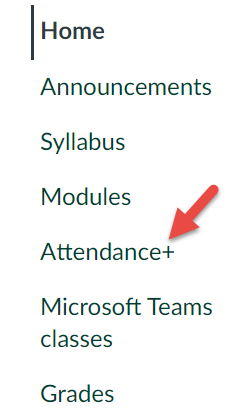
To access Aplus+ Attendance, look for the link in the left-hand navigation of the course:
Most Faculty choose to use the 'Sessions' view:

Next, identify the session for which attendance needs to be taken and click on it: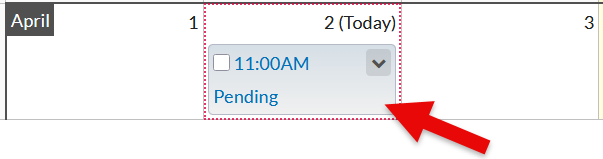
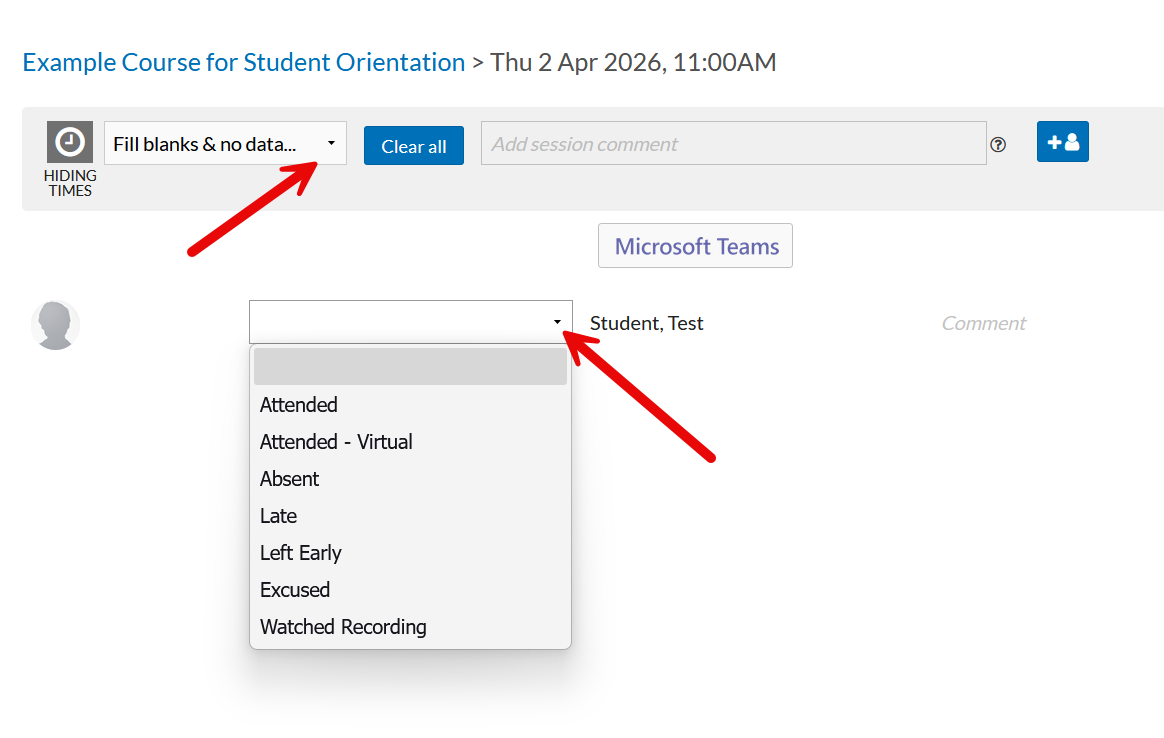
Faculty have multiple options for taking attendance, including the ability to apply a value to all attendees. This option is useful in an example where all the students are present except for a few, allowing the Faculty member to apply 'Attended' to all students and then go back and manually adjust the few students that were absent. Faculty can also choose to enter the attendance individually for each user:
For Faculty that are using Microsoft Teams Classes to deliver virtual lectures, there is a 'Microsoft Teams' button which will identify any meetings the Faculty was an 'organizer' for that align with the date that the session was to be held. Once the session is identified, the attendance data can be imported. It is important to note that only 'present' attendance data can be imported - 'absent' student data must be entered manually when using this feature.
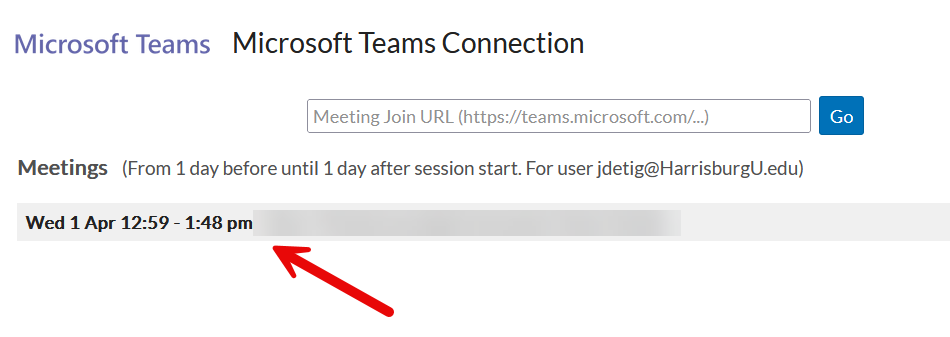
Once selected an 'Import Attendance Data' option will appear. Due to the complex nature of this multi-system integration there are occasional instances where the service is unavailable. In these cases Faculty are encouraged to use the manual entry method(s) described above.
The Aplus+ attendance is very robust and if any Faculty would like to explore more advanced features or discuss basic functionality in more depth, please book time with the Virtual Learning Environment Team to review.